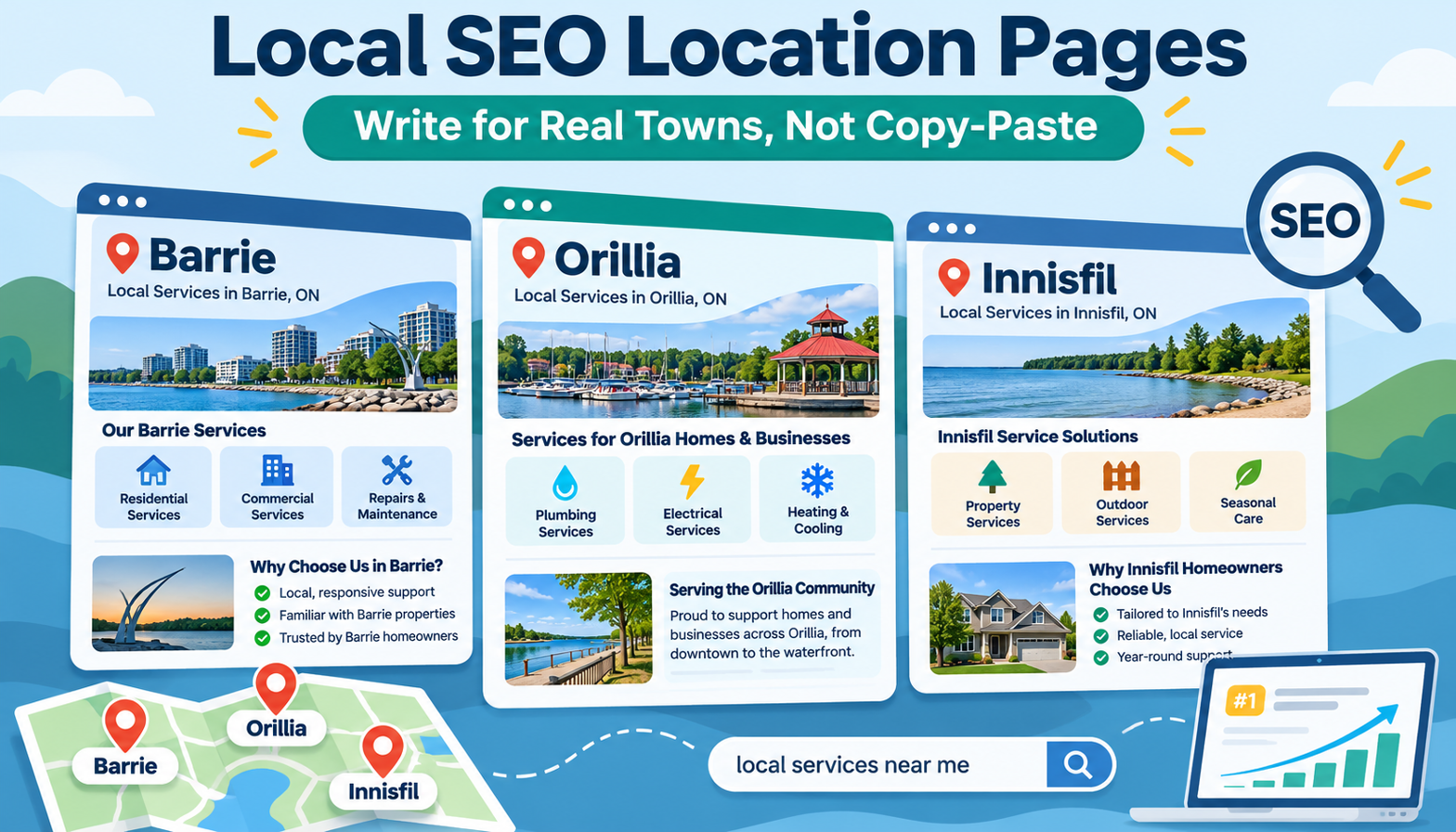
How To Create Local SEO Location Pages Without Copying City Content
Serving several towns doesn’t mean you need several versions of the same webpage. If your business works in Barrie, Orillia, and Innisfil, each location page should explain what you offer there and show genuine evidence of your work.
Changing a town name isn’t enough. A useful local SEO location page helps someone in that community decide whether to contact your business. That means relevant services, real local details, and an obvious next step.
TL;DR: Building Better Local SEO Location Pages
Want us to build this for you?
Book a Free Discovery Call- Create a dedicated page for each town you serve, supported by useful information about your work there.
- Reuse your page layout, not entire blocks of generic city-swapped copy.
- Include actual jobs, original photos, and streets or areas you genuinely serve.
- Make your phone number, short contact form, and business hours easy to find.
- Connect location pages to your main website and Google Business Profile so customers can recognise the same company.
- For one business serving nearby towns, pages on the main website are usually a better starting point than separate microsites.
- No location page can guarantee a Google ranking.
What Is a Local SEO Location Page?
Want us to build this for you?
Book a Free Discovery CallA local SEO location page is a webpage focused on the services your business provides in a particular town or service area. Its job is to answer a local customer’s practical questions: Do you serve my area? What can you help with? How do I get in touch?
For a business serving Barrie, Orillia, and Innisfil, that could mean three town-specific pages on one website. Each page should stand on its own as a useful explanation of the services available in that community.
The town name provides context. The details about your actual work provide substance.
Should You Use Your Main Website or a Separate Microsite?
Want us to build this for you?
Book a Free Discovery CallBefore writing location content, decide where it belongs. A new town doesn’t automatically call for a new website.
Use Your Main Website for One Business Serving Several Towns
If the same company serves several nearby communities, a dedicated page on your existing website is usually the stronger starting point. It builds on the trust that website already has and keeps your services and contact information connected.
For example, your Barrie, Orillia, and Innisfil pages can all belong to the same business website. Customers should be able to move between those pages and your main service information without wondering whether they have found a different company.
Consider a Microsite When There Is a Distinct Purpose
A separate microsite can make sense for:
- A separate brand: The offering has its own identity rather than simply a different service area.
- A different audience: The site needs to speak to a genuinely different group of customers.
- A focused paid advertising campaign: A dedicated destination supports a specific advertising objective.
The deciding question is whether the separate site serves a real business purpose. Creating another domain just to target the next town is not the same as having a distinct brand or audience.
Why Copying a City Page Creates Problems
Want us to build this for you?
Book a Free Discovery CallDuplicating your Barrie page and replacing “Barrie” with “Orillia” might save writing time. But it doesn’t give an Orillia customer meaningful information about your work there.
Google’s doorway abuse policy addresses pages created to rank for similar searches that act as less-useful intermediate destinations. A set of near-identical city pages can raise this concern when their main purpose is capturing searches rather than helping customers.
That doesn’t mean every shared sentence or repeated design element is a problem. Your business name, contact details, layout, and some service information may naturally remain consistent.
The issue is whether each page offers a meaningful reason to exist beyond its town name.
How To Build a Location Page That Earns Its Place
Want us to build this for you?
Book a Free Discovery CallStart With Evidence, Not a Copy of Another Page
Gather material from your actual work in the town before drafting. This gives the page a local foundation instead of leaving you searching for ways to make generic copy sound different.
Build a simple content brief containing:
- The town the page will cover.
- The services you actually provide there.
- Relevant jobs completed in that community.
- Original photos from those jobs.
- Streets or areas you genuinely serve.
- Your phone number, hours, and contact form details.
If the brief contains only a town name and a copied service description, it needs more substance before it becomes a useful standalone page.
Explain the Services Available in That Town
Make the service offering clear near the beginning of the page. A customer shouldn’t have to leave the location page to work out whether you provide the help they need.
If you offer the same services across all three towns, you don’t need to invent differences. Keep the offering accurate, then distinguish each page through real examples and local evidence.
For example, an Orillia page can explain the services available there and support them with an actual Orillia job. The Barrie page can use relevant Barrie work instead. The services may overlap; the supporting material should reflect each community.
Show Real Work and Explain Why It Matters
Local detail should do more than decorate the page. Use job descriptions and photos to help customers understand what your business does.
For each relevant example, consider explaining:
- What the customer needed.
- What work your business carried out.
- Where the work took place, using appropriate, accurate location details.
- What the accompanying photo shows.
These are prompts for documenting genuine work, not reasons to create fictional projects. If you don’t have evidence for a claim, don’t add it just to make the page feel local.
Make Contacting You Straightforward
A location page needs to do more than describe your services. It should make the next action obvious.
Include a prominent phone number near the top, a short enquiry form, and your business hours. Customers should quickly understand how to contact you and when your business is available.
Local relevance gets someone interested. Clear contact options help them take the next step.
Keep the Page Connected to Your Business
Link location pages into your main website rather than leaving them as isolated destinations. Include relevant connections to your service information and make it clear that all town pages belong to the same company.
Connect the website and your Google Business Profile as well. The goal is a coherent business presence, not a collection of pages that appear unrelated.
A Practical Example: Barrie, Orillia, and Innisfil
Want us to build this for you?
Book a Free Discovery CallSuppose one company provides the same core services across these three towns. It can reuse a consistent page structure while changing the substance that supports each location:
- Barrie page: Services available in Barrie, supported by genuine Barrie projects, photos, and service-area details.
- Orillia page: Services available in Orillia, with relevant work and images from that community rather than copied Barrie examples.
- Innisfil page: An accurate explanation of Innisfil coverage, backed by local work and details where available.
The phone number, form design, hours, and company identity can remain consistent. You’re not trying to make one business look like three different businesses. You’re helping customers understand how the same company serves each town.
Location Page Mistakes To Avoid
Want us to build this for you?
Book a Free Discovery Call- Rewriting without adding information. Replacing words with synonyms doesn’t create useful local content.
- Adding place names as filler. Mention streets and communities because they explain your coverage or work, not simply to repeat geographic terms.
- Inventing local differences. Keep services and project claims accurate even when the offering is similar across towns.
- Hiding the contact options. Don’t make customers search through the page for a phone number or form.
- Creating unnecessary microsites. A different town alone is not a strong reason to separate one business across several websites.
- Expecting guaranteed rankings. A useful page is a sound objective, not a promise of a particular search position.
Before You Publish: A Location Page Checklist
Want us to build this for you?
Book a Free Discovery CallReview each page as though you were a customer in that town:
- Does it clearly say which services are available here?
- Does it include genuine evidence connected to this community?
- Are the job descriptions, photos, and coverage details accurate?
- Can someone quickly find the phone number, form, and hours?
- Is the page connected to the main website and recognisably part of the same business?
- If you removed the town name, would the remaining content still demonstrate a local connection?
That final check is especially useful. If the page becomes interchangeable with every other town page, strengthen the evidence rather than adding more generic text.
Final Thoughts: Build for the Local Customer First
Want us to build this for you?
Book a Free Discovery CallStrong location pages don’t need invented differences or a separate website for every town. They need accurate services, genuine local work, clear contact options, and a connection to the business behind them.
Start with one town, gather the supporting material, and build a page that genuinely helps someone there. Then apply the same standard to your other service areas.
If you’re deciding between location pages and a microsite, you can book a discovery call with Certtech Web Solutions to discuss which approach fits your business.
FAQs About Local SEO Location Pages
Want us to build this for you?
Book a Free Discovery CallCan I use the same template for different city pages?
Yes. A shared layout can keep your website consistent. The important distinction is between reusing a design and duplicating the entire page with a different city name. Each page should include useful, accurate information about your work in that location.
What if I offer identical services in every town?
Describe those services accurately. You don’t need to invent different offerings. Use genuine jobs, original photos, and relevant coverage details to explain how your business serves each community.
Do I need a separate website for each service area?
Usually not for one business serving several nearby towns. Dedicated pages on the main website are generally the better starting point. A microsite may fit a separate brand, a different audience, or a focused paid advertising campaign.
Will a location page guarantee a higher Google ranking?
No. A location page cannot promise a particular ranking. Its purpose is to provide a clear, useful answer for someone searching for your services in that town.